
BrightHire is one of the most popular interview intelligence and AI recruiting platforms.
Teams use BrightHire to plan interviews, conduct AI screening calls, record and transcribe conversations, get AI question guidance, and automate note-taking and feedback. BrightHire also provides analytics on things like interview quality and candidate interests.
Despite its popularity, some users have experienced frustrating issues.
On G2, reviewers say BrightHire sometimes struggles to tell speakers apart during interviews, raising concerns around accuracy and bias.

Another review points to overall product reliability issues.

Moreover, BrightHire doesn’t publish any pricing details, which makes it harder to compare costs before speaking with sales.
If you’re considering BrightHire but have concerns, the market offers plenty of other options.
Here are 6 to explore.
Let’s look at them in more detail.
Best for teams that want help running structured interviews and extracting reliable evidence for hiring decisions.
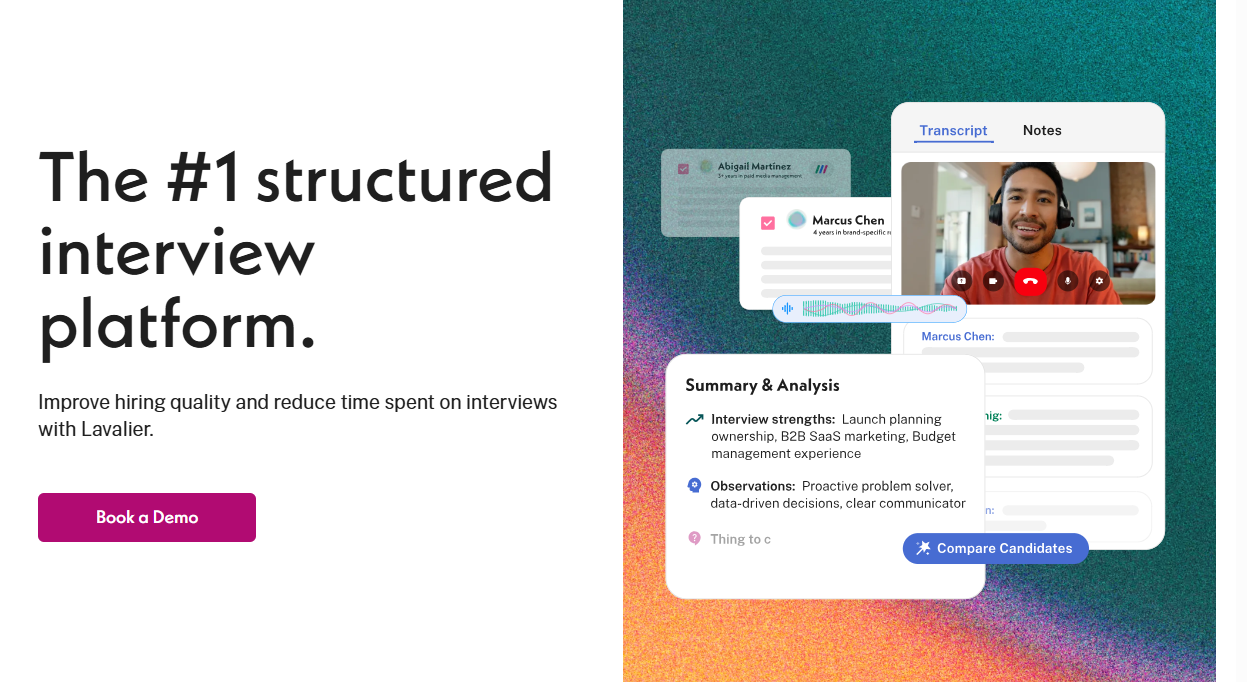
Lavalier is an AI-powered interview intelligence platform that helps you conduct structured interviews at scale without eliminating the human element.
To begin with, Lavalier analyzes the initial intake discussion between recruiters and hiring managers to extract exact skills, responsibilities, and experience requirements. It then automatically generates a precise job description and a unified hiring rubric.
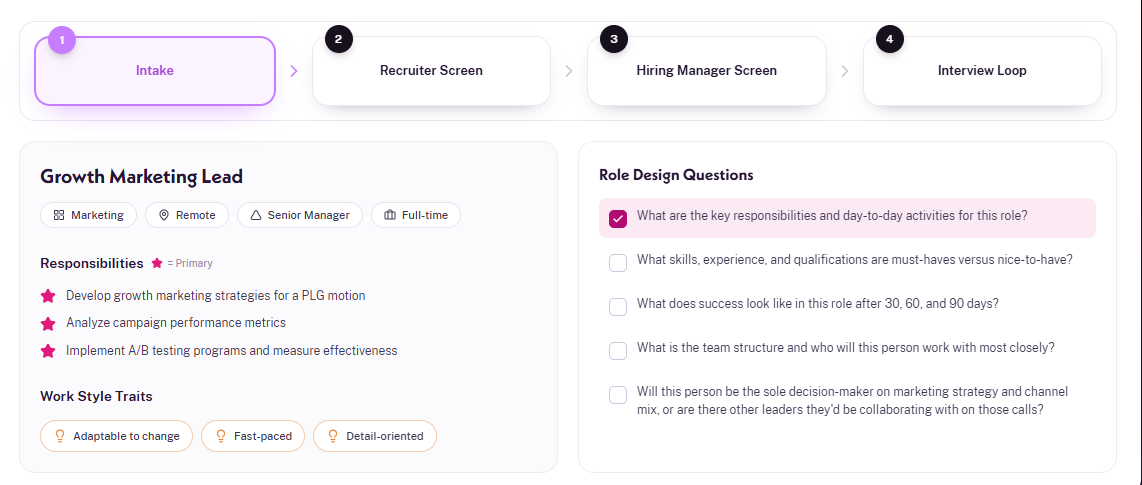
Once the platform establishes those core requirements, it builds a cohesive interview roadmap with specific, role-relevant interview questions for every stage of the process. Each question is designed to clearly assess competencies needed for the particular role. With your team running this plan with these questions, you have a much higher chance of figuring out the strongest candidate for the job.
With the roadmap set, Lavalier’s AI Interviewer steps in to conduct first-round conversations. This way, you have better signals on which candidates should progress to the next round,
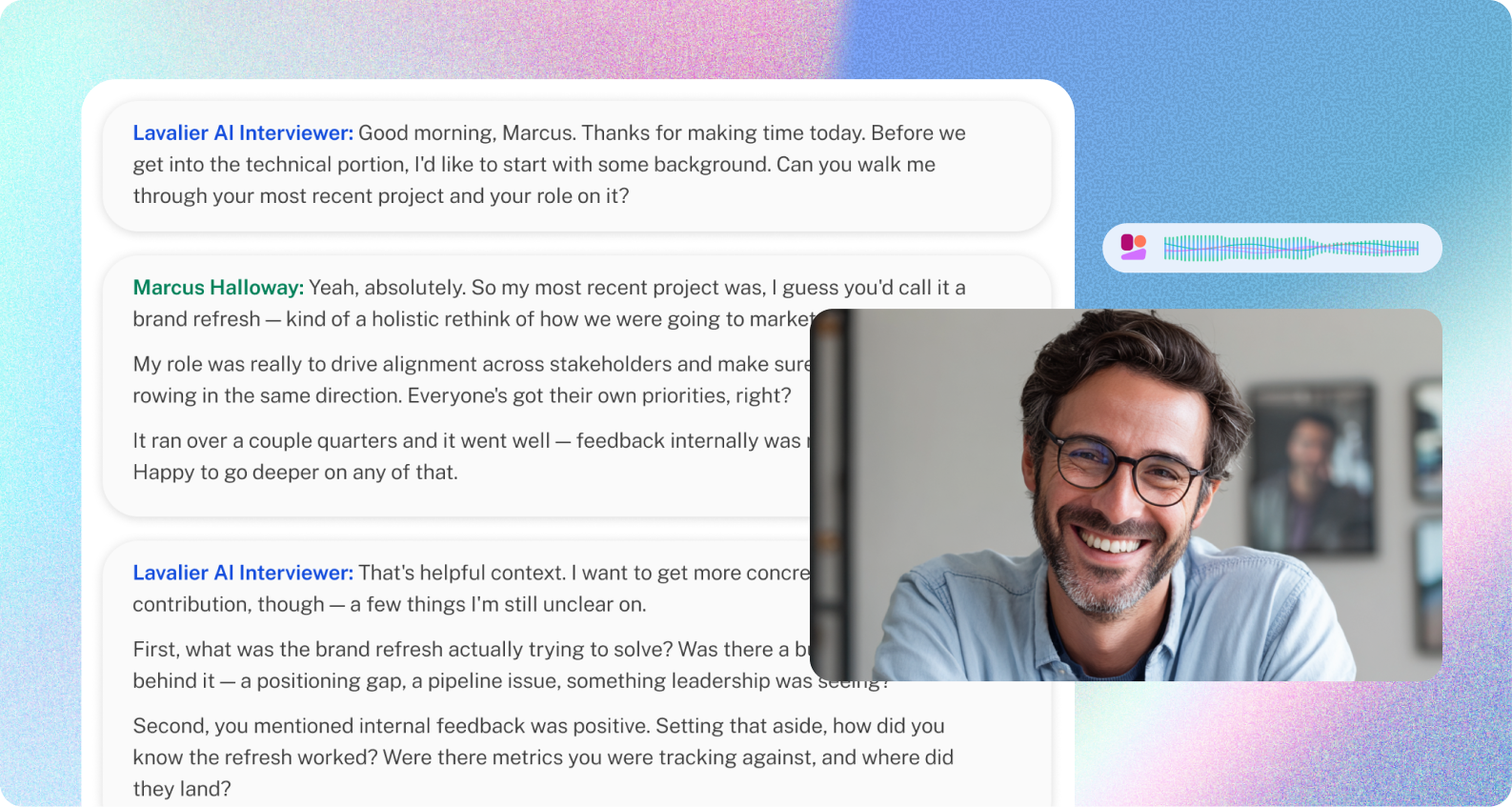
Instead of you having to make split-second decisions amid countless AI-perfect resumes, Lavalier dives in with each candidate to get a sense of their true experience and skills and help recruiters decide who makes sense to put on the shortlist.
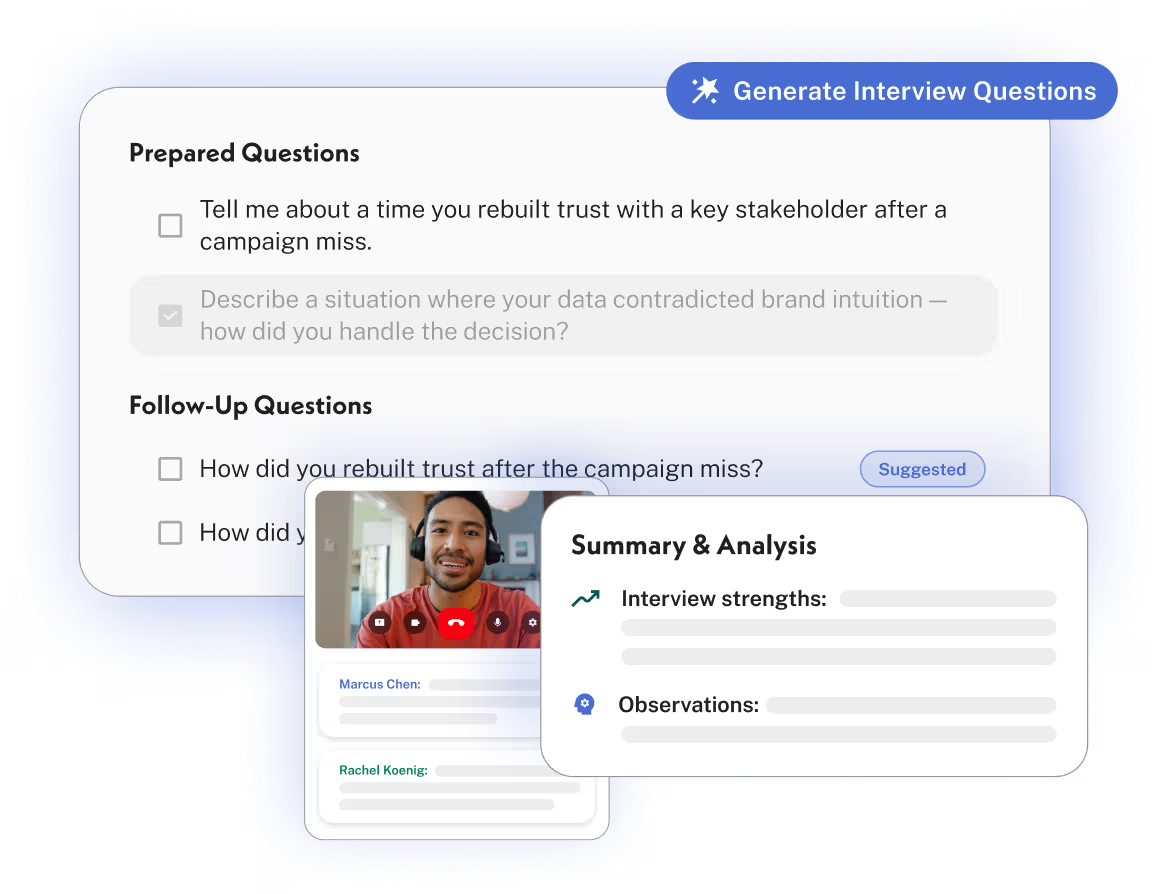
When candidates advance to the live human rounds, Lavalier shifts into a real-time co-pilot. It analyzes answers on the fly and suggests smart follow-up questions during the conversation. This helps interviewers get all the facts and evidence they need to make a confident assessment, and also provides an exceptional candidate experience. Applicants walk away with the sense that they got a genuine chance to explain their skills, because your team actually asked thoughtful, pertinent questions.
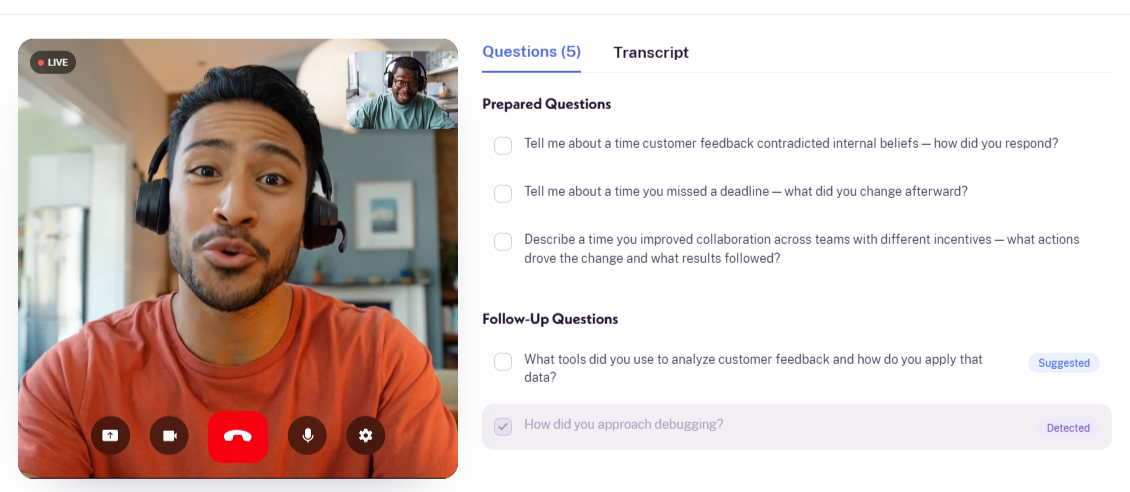
For instance, a question about customer feedback leads to a suggested question about the tools the candidate used to analyze it. That can help you get a clearer account of what the candidate actually did.
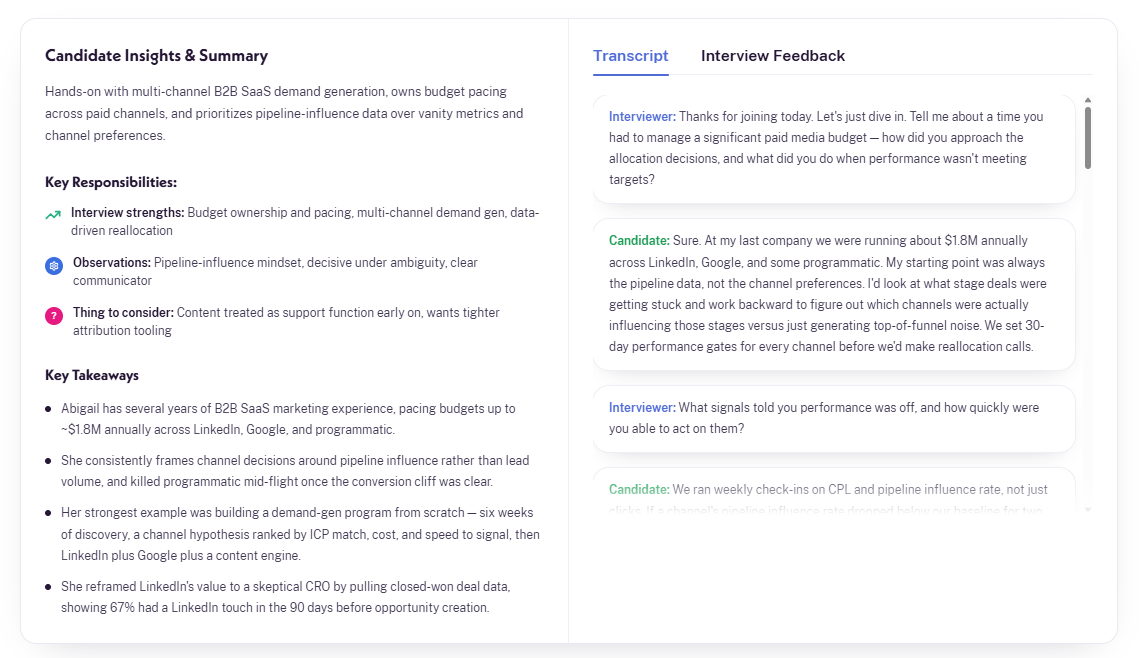
Afterward, Lavalier organizes the candidate’s answers into strengths, observations, and things worth exploring further. Those findings link to the relevant transcript passages. It’s nice to be able to check the original answer here: if a summary sounds more confident than you remember the candidate being, you can review the exact exchange and revise the assessment if needed.
When it’s time to debrief, Skills Matrix brings all the findings from every interview with every candidate together in one place, and maps them to the job requirements. In one snapshot, you see how every candidate compares to the role. From there, you can dive back into each candidate’s strengths and fit, and compare.
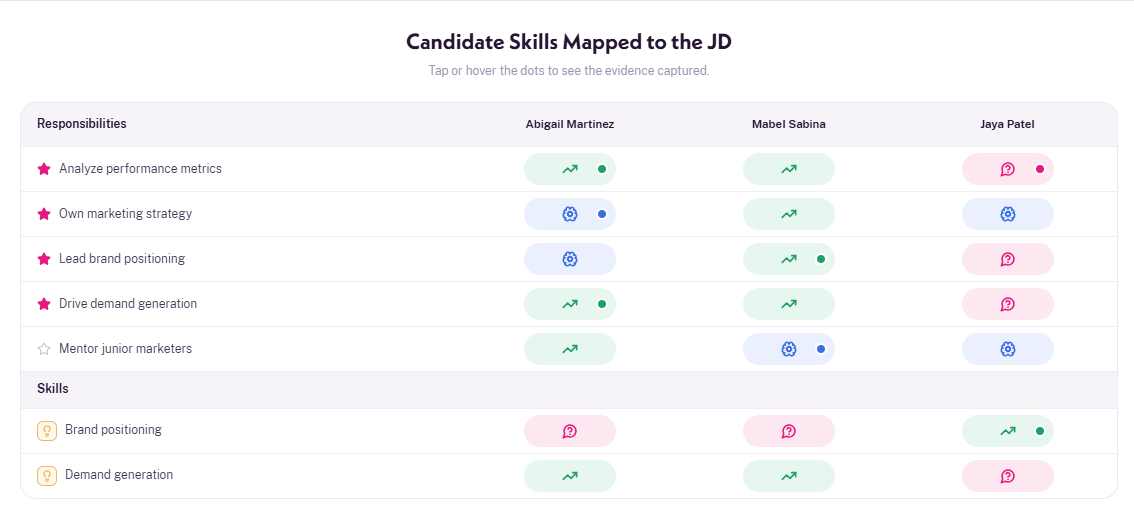
For instance, you can open a finding about a marketer’s analytical skills and see how she used campaign data to reallocate a budget, along with supporting quotes. That gives your debrief a specific example to discuss.
What teams often especially like about Lavalier is that it gives you the best possible evidence to make a hiring decision without ever scoring, ranking, or recommending candidates. Your team makes every call.
BrightHire began as a way to record and transcribe interviews, then added planning and analysis on top. Now part of Zoom, it’s a strong fit if your primary need is a searchable record of every interview.
Lavalier works the other way around. Role Design locks in what the role needs at intake, and every interview plan, live prompt, and candidate comparison is measured against it. That leads to sharper questions in every round and debriefs built on evidence.
Lavalier also comes from Textio, which has spent more than a decade building AI for HR with a focus on reducing bias and keeping people in charge. That thinking shows in the product. Lavalier prioritizes surfacing hiring signals and giving teams better evidence without scoring or ranking candidates, so your human team makes every hiring call.
Credits cover role creation and interviews. Creating a role uses approximately 25 credits; a 31–60-minute interview uses approximately 18. ATS integrations are included in paid plans.
Best for agencies and high-volume recruiters that want AI agents working across the whole recruiting process.
Metaview is an agentic recruiting platform that uses AI agents across the hiring process, from sourcing and application review to screening, interview notes, and recruiting reports.
The main idea is that these agents share context instead of working as separate tools. Metaview learns what you are looking for from job descriptions, intake conversations, hiring criteria, and recruiter feedback. That context can then carry through the entire recruiting process.
To me, that shared context is Metaview's USP.
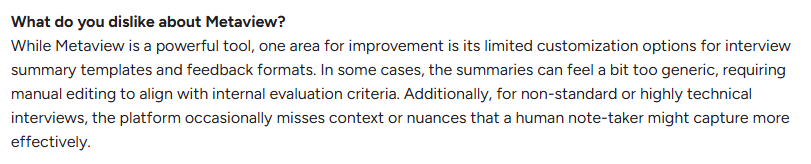
My biggest hesitation with Metaview is that the platform can feel more closed than I’d want from a system handling so much recruiting data. As users report, there’s no usable API and it’s difficult to access complete historical transcripts and summaries.

Users also want more control over how summaries and feedback are structured. If the templates are too generic, recruiters still end up cleaning up the output, and that problem becomes more noticeable in technical or unusual interviews where AI can easily miss context.
Metaview uses AI agents to source candidates, handle outreach, review applications, run screens, and take your interview notes. The whole goal here is drastically cutting down admin hours per hire, and you can actually start using it for free.
BrightHire, on the other hand, focuses on the interview stage and doesn't touch outbound sourcing at all.
I think BrightHire’s built entirely for running consistent, standardized interviews across a massive team. Just keep in mind, pricing is strictly demo-only.
The choice just comes down to your actual bottleneck. If your recruiters are buried in sourcing, screening, and endless paperwork, Metaview gives them their time back. But if your hiring managers would benefit from interview training, BrightHire is definitely the better fit.
Metaview lets you buy individual agents or the broader platform, so pricing depends on which parts you use.
Best for structured live interviews within an Employ recruiting workflow
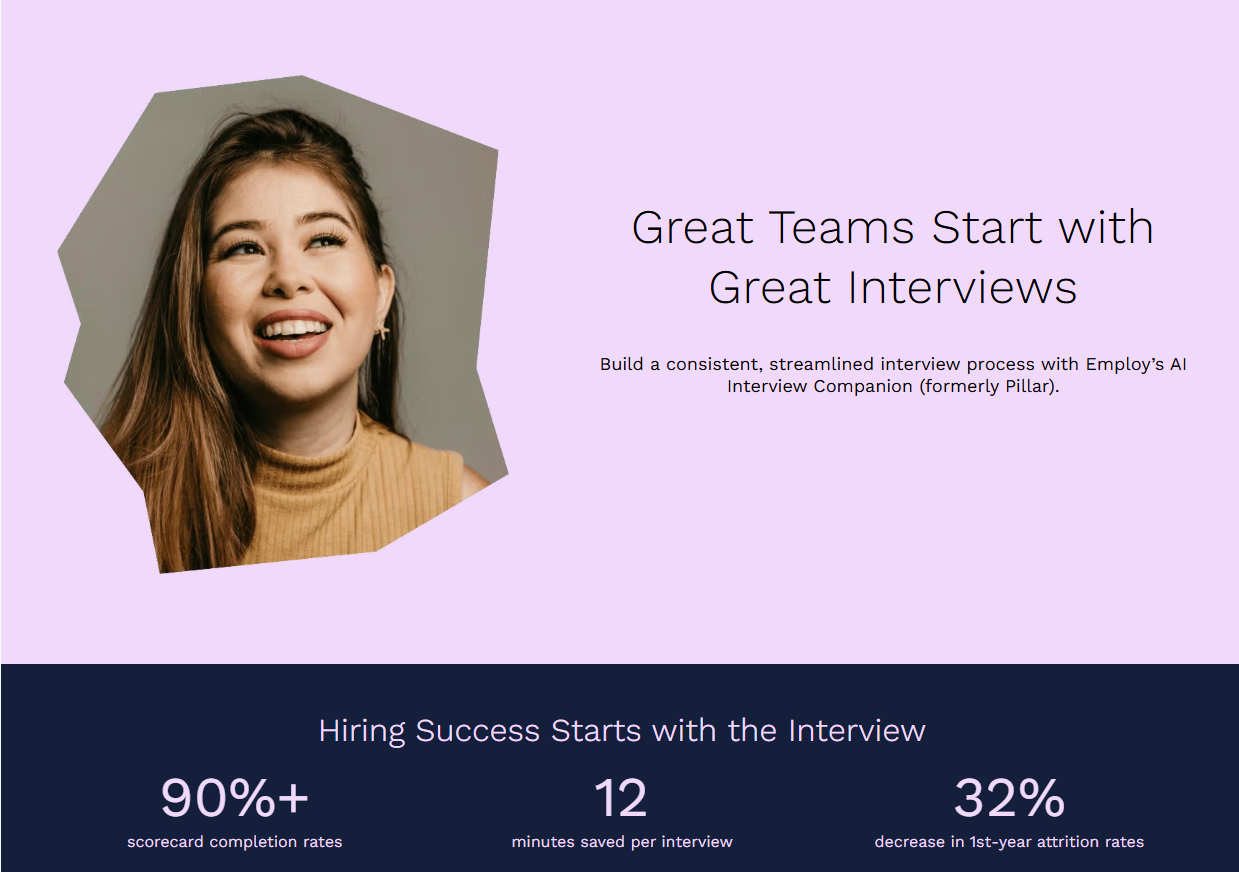
Previously known as Pillar, Employ’s AI Interview Companion is an interview intelligence tool for structured interviewing and candidate evaluation. It can also work directly inside Lever.
Before an interview, it can turn a job description into an interview guide with suggested questions. And during the conversation, it recommends skills-based follow-ups and records the interview, helping the interviewer gather stronger evidence about the candidate.
Afterward, it creates summaries and helps the team compare candidates using feedback and video clips. It also gives interviewers coaching on how they handled the conversation.
I feel like Employ is fairly specialized, so it may feel narrow if you want AI to handle more of the recruiting funnel. It focuses mainly on interview prep and coaching rather than sourcing or autonomous screening. It is also positioned most closely around Employ’s Lever and Jobvite ATS products; some users have asked for broader HR-system integrations.
BrightHire integrates with pretty much everything. It works seamlessly with ATS platforms like Greenhouse, Lever, Ashby, and Workday, and integrates with Zoom, Teams, and Google Meet. Employ, on the other hand, is specifically built to live inside Lever.
BrightHire actually puts an AI interviewer on a voice or video call with the candidate and then scores their answers based on the rules you set. Employ doesn’t talk to candidates at all.
Instead, it compares each incoming application against the job description, helping you follow up fast before the best candidates lose interest.
In my opinion, the choice here is pretty straightforward. If you’re already using Lever, just go with Employ. You get the interview support without having to buy a new tool or learn a whole new system. But if you’re running Greenhouse, Ashby, or Workday, or if you specifically want an AI to run and score those first-round interviews for you, BrightHire is better.
Custom quote: Employ does not publish a standard price for Interview Companion.
Best for simple candidate screening through recorded answers to fixed questions
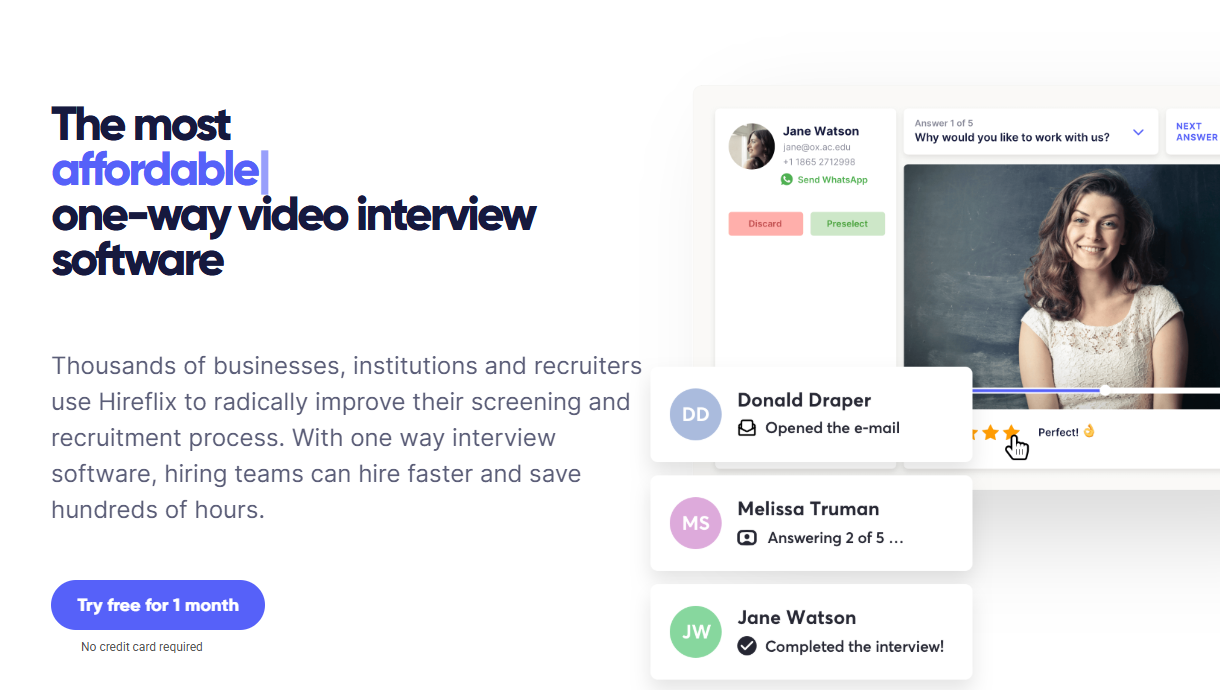
Hireflix is a one-way video interview platform. You prepare questions, send candidates an invitation, and let them record their answers when it’s convenient. Your team then reviews the responses on its own schedule. I’d consider it when scheduling early screens is slowing your hiring.
The setup is quite easy for candidates. They can use a phone, tablet, or computer without downloading an app or creating an account. You can also choose preparation time, answer length, and retakes.
These controls give candidates time to think, and a short screening exercise can also be easier to fit around an existing job.
Hireflix includes transcriptions, shared review, and ATS integrations. The main problem is that you won’t be able to ask an immediate follow-up, so I’d use it only for questions you can assess fairly without a live exchange.
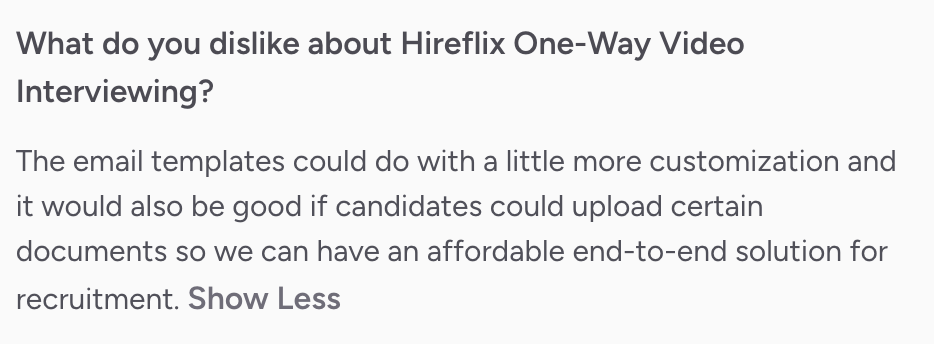
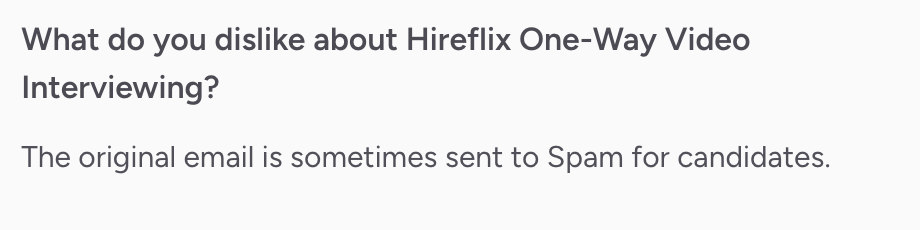
Some G2 reviewers have also mentioned invitations reaching spam folders and the inability to upload any document.
If I were you, I’d also explain to candidates what happens after submission, so a convenient screening step still feels like part of a welcoming hiring process.
Hireflix is a good fit if you mainly want to replace first-round screening calls with one-way video interviews. You set the questions once, candidates record their answers on their own time, and your team reviews them later.
BrightHire covers more of the interview process. Along with AI screening, it offers live interviewer guidance, coaching, scorecards, and interview analytics. BrightHire Screen can also ask follow-up questions based on a candidate’s answers, while Hireflix keeps every screening interview fixed.
All plans include unlimited users, positions, and interview responses.
Best for recruiting teams that want an ATS with screening and assessment tools built in
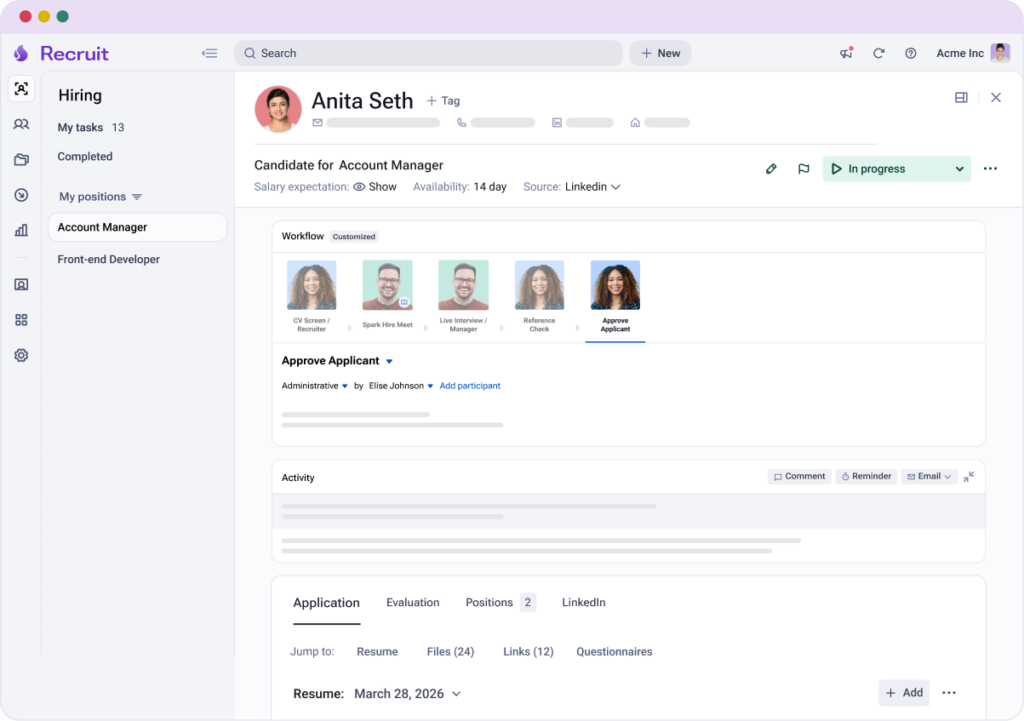
Spark Hire is a recruiting platform built around its applicant tracking system, Spark Hire Recruit. I found the platform's consolidation to be its appeal. Instead of connecting a separate ATS, video interview tool, assessment platform, and reference-checking service, you can run much of that work inside Spark Hire.
For early screening, Spark Hire can rank resumes against your requirements, move selected candidates into one-way video interviews, and then transcribe and summarize their responses for review. You can also add behavioral assessments and automated reference checks, with all of that information kept together in the candidate record.
Spark Hire’s breadth can also be a drawback if you only need interview intelligence rather than a full recruiting platform. Its ATS plans require annual contracts, and features such as API access and SSO cost extra.
There are some workflow limitations too, including less flexibility for running multiple interview rounds and AI screening scores that do not always match recruiters’ own assessments.


I would choose Spark Hire if I wanted a recruiting platform with an ATS, screening, assessments, references, offers, and reporting in one place.
BrightHire is more specialized. It focuses on improving interviews with AI screening, live interviewer guidance, scorecards, coaching, and interview analytics. The screening experience also differs, as Spark Hire uses one-way video responses, while BrightHire Screen runs two-way AI interviews that can ask follow-up questions.
Spark Hire prices its ATS by company size and plan:
Spark Hire also sells some screening products separately, so you do not necessarily need to replace your existing ATS to use its video interviews or assessments.
Best for interviewing that includes practical tests and candidate verification
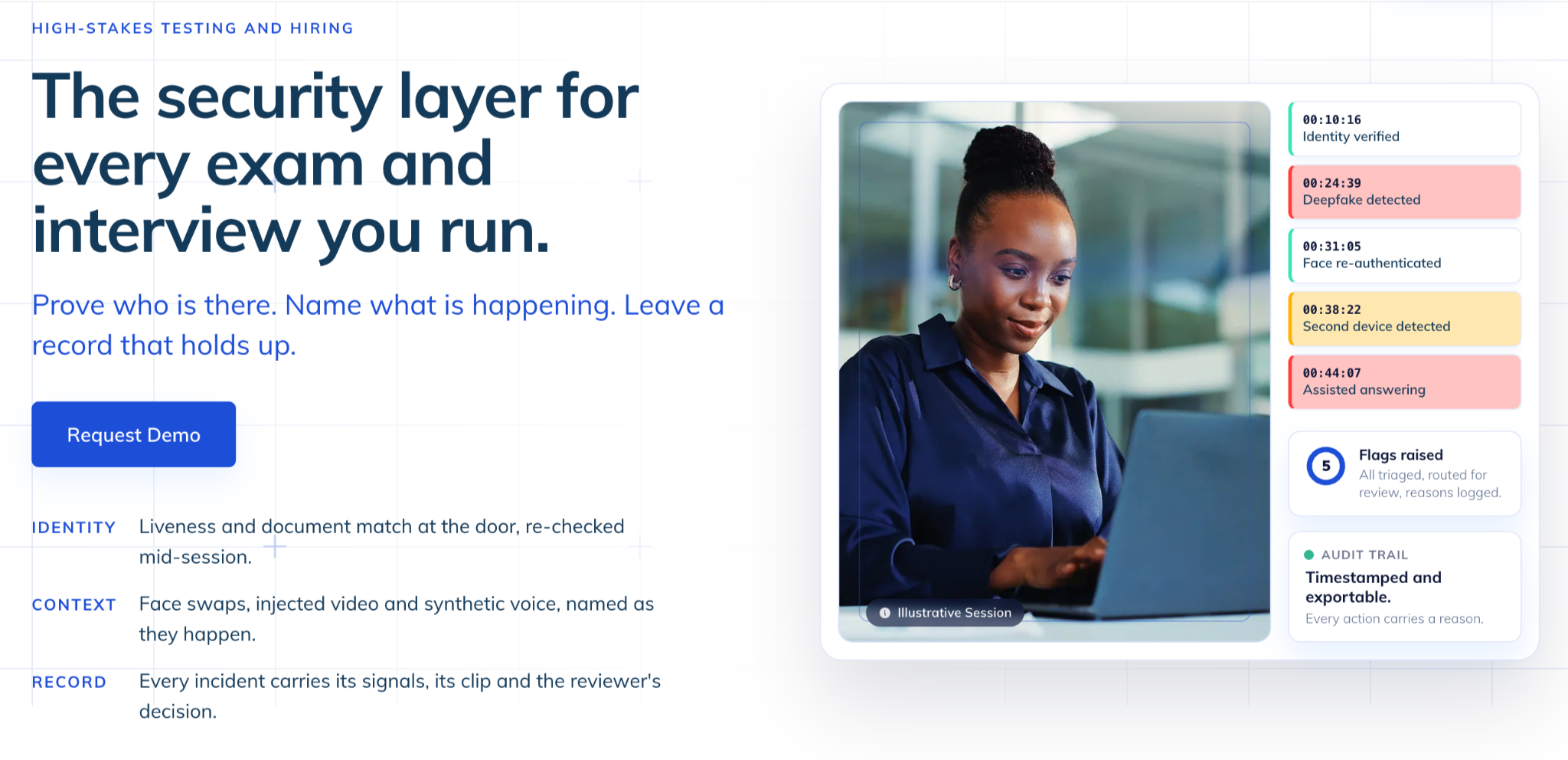
Talview combines interviewing with assessment and verification tools. I’d consider it if you need to watch candidates solve a problem or complete a technical exercise as well as discuss their experience.
Its AI interviewer, Ivy, conducts role-specific screening conversations, asks follow-ups, and produces transcripts and scoring reports.
Talview gets props for candor. Every score Ivy produces shows the response behind it, and a named person on your team makes the final call. The FAQ even admits Talview hasn't published a case of catching a deepfake in a live session. You rarely see a vendor say that out loud.
Talview’s live interview rooms include coding and whiteboarding tools, so you can discuss a candidate’s reasoning as they work through an exercise.
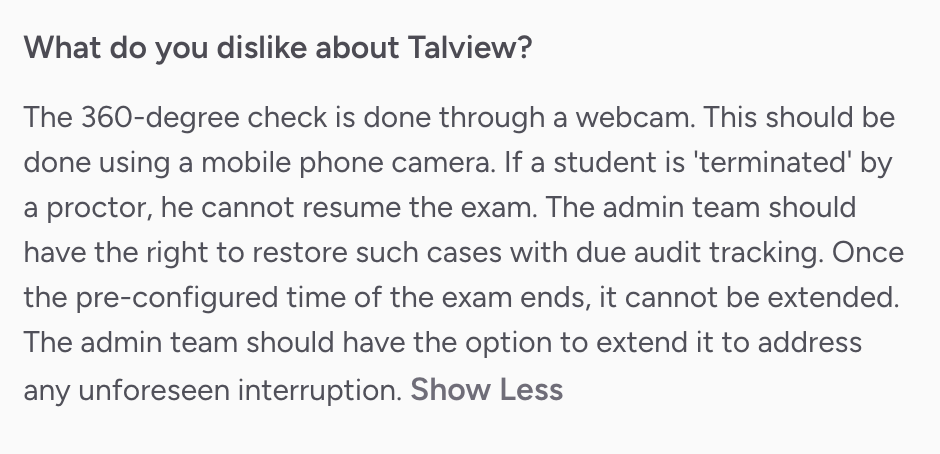
However, the candidate experience could be a problem. G2 reviewers cite bandwidth sensitivity and a very weird 360-check process.

I’d consider Talview when practical assessments and verification are essential requirements. BrightHire is a more direct fit when the main goal is better interview conversations, documentation, and interviewer coaching.
That extra scope means you’ll have more setup choices to make. If you only need interview notes, the assessment tools may add little value. I’d trial the combination your team would actually use.
Custom: Unit-based pricing depends on selected products and candidate volume.
Talview lists a typical minimum commitment of approximately 150–200 candidates. Confirm minimums and pilot charges in your quote.
Most of these tools now offer an AI interviewer or some kind of agent, so feature lists alone won’t tell you which one to pick. Focus instead on where AI helps and where it starts making the call for you.
Human interviews vary with how well the interviewer prepared and which questions they chose. They also change with the interviewer’s mood that day and can carry biases tied to race, gender, and more.
Textio’s 2025 research found that candidates who received offers were 12 times more likely to be described as having a “great personality” than rejected candidates.
Which means software is truly helpful when it mitigates bias and makes interviews more consistent for every candidate.
So where does the line fall?
A sensible approach is to let AI keep interviews structured and the record complete, and leave the judging to people. Scores can still be useful, especially when you’re hiring at high volume.
But research suggests they carry a lot of weight: in a University of Washington study, people followed an AI’s hiring picks most of the time.
So when you demo these tools, watch what each one hands you at the end. Some give a score or ranking; some don’t, so ask what each score is actually based on. Then picture your next hiring debrief: would your team discuss what the candidate said, or be heavily skewed by scores?
Every tool on this list helps with a different part of interviewing. The right one for you depends on the kind of conversations you want your team to have and the information you need afterward.
If you want interviews that stay consistent across every hiring team and give you the strongest hiring signals while people make the final call, book a Lavalier demo.
You’ll see how Lavalier sets up a real role from intake and guides your interviewers through each round, so you can judge the fit for your team.
Lavalier is built for enterprise teams that want scalable structured interviews for high-confidence hiring decisions. It builds a structured plan from intake and helps interviewers gather reliable hiring evidence in interviews. BrightHire suits large teams that primarily want interview recordings and have specific ATS integration requirements. If technical assessments and candidate verification matter most, Talview is another option.
Choose Lavalier for teams running interviews every week. It automates interview planning, guides interviewers during conversations, and structures candidate feedback for debriefs. If your biggest challenge is screening large numbers of applicants without scheduling calls, Hireflix is a simpler option.
Lavalier offers custom enterprise pricing, with paid plans starting at $499/month for unlimited users. Metaview’s AI notetaker starts at $60/user/month, while Hireflix starts at $75/month with annual billing. BrightHire uses custom pricing. When you compare plans, check which ones include live interview guidance and which support ATS integrations.
BrightHire offers some interview coaching and performance insights, while Metaview focuses on capturing conversations and organizing feedback. Lavalier is the stronger pick if improving the interview and hiring evidence itself is your priority. Its live question suggestions help interviewers follow up on incomplete answers, and its candidate comparisons give hiring teams clear evidence to discuss.